Apps is an abbreviation of applications, these can be anything interactive from education, games or information. They are usually used on electronic software that can be connected to the internet to download or play online. Most known apps are Iphone apps used for a mobile phone by Apple. This is because the Iphone is the most advanced phone which is able to play and use very complicated apps, usually made for computers.
When where apps first created?
No ones knows when the first application was created, although the word app became popular in the year 2010, and was also awarded word of the year by the American Dialect Society. This was when smartphones was being distibuted world wide, and these phones could have applications added to them by buying them from apps stores. Apple Iphone app store first opened on July 10, 2008. This shows that the first app on a mobile phone must have been around the year 2007 - 2008. After apple started creating the iphone and other devices that allow apps, other companies started to open their own app store like;
- Google Play: Opened in October, 2008
- Blackberry App World: Opened in April, 2009
- Ovi Store: Opened in May, 2009
- Windows Phone Marketplace: Opened in October, 2010
- Amazon Appstore: Opened in March, 2011
Examples of Apps:
I'm am going to research examples of apps, or the style, how they are laid out, and the icons they chose to suit the app. I will also be looking out for apps that are in packages, so the style of each app will be similar, to match that they are by the same company/designer. I will not just be looking at apps for mobile phones, although for computers as well, as this will widen my search, and give me more information, and inspiration about apps.
It is important that the creator designs the apps in the same style, this is because people will know instantly that it is by the same designer. This will bring in more customers, as they will be easier to find, also if the designers first app was reliable, and with a high rating, people will more likely to use his/her other apps.
 Here is a couple of apps for the Andriod mobile phone, all these apps are created by different designers, as the icons are not the same. All the icons are the same length and width, and most of them are in a square shape but rounded off. For example;
 1. Where's M...,
2. SwiftKey X...,
3. S-Banking.
These apps are rounded, although box shape-like. Most of the icons are small cartoon graphics of a clip in the app. Others are the logo of the app, and other icons are very obvious such as number 9 (music player).
One important aspect when designing my own icon for my apps, is that I must remember to not create a very detailed icon as app number 10; is detailed and because of this you can't see clearly what the image is.
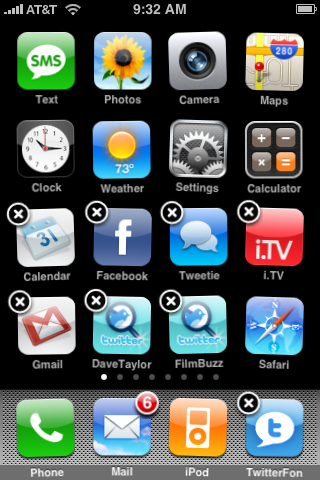
I think this is a good way to show the public that the apps are from the same creator, by adding a glare effect to the icon. I think this looks interesting, and effective to the look of the icons.

Here is a set of apps created by the same person; Arrioch. They have added a bevel edge to all their icon apps, so that people will know that this is created by the same person.


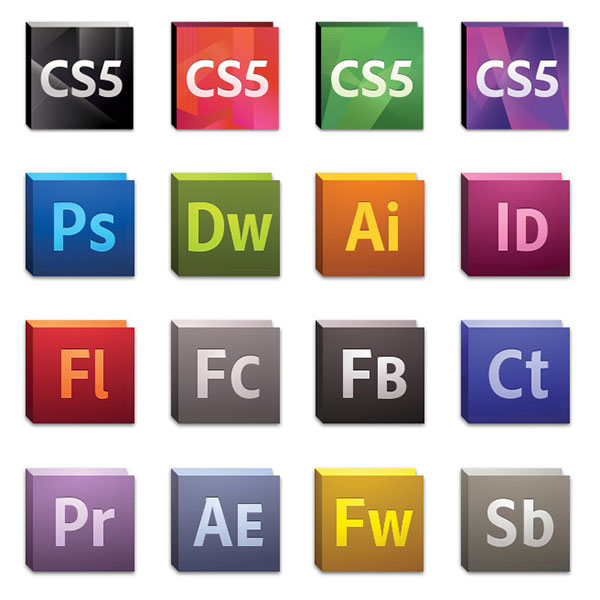
This is the icons adobe used for the CS5 suite, as you can see they update their icons to change with the current style in the industry. They have only done subtle changes to the shape and colour, although you can still see the previous version of the icons still in there. I think this is well thought out, and a good job.

No comments:
Post a Comment